How the email chat system works in Choir Concierge
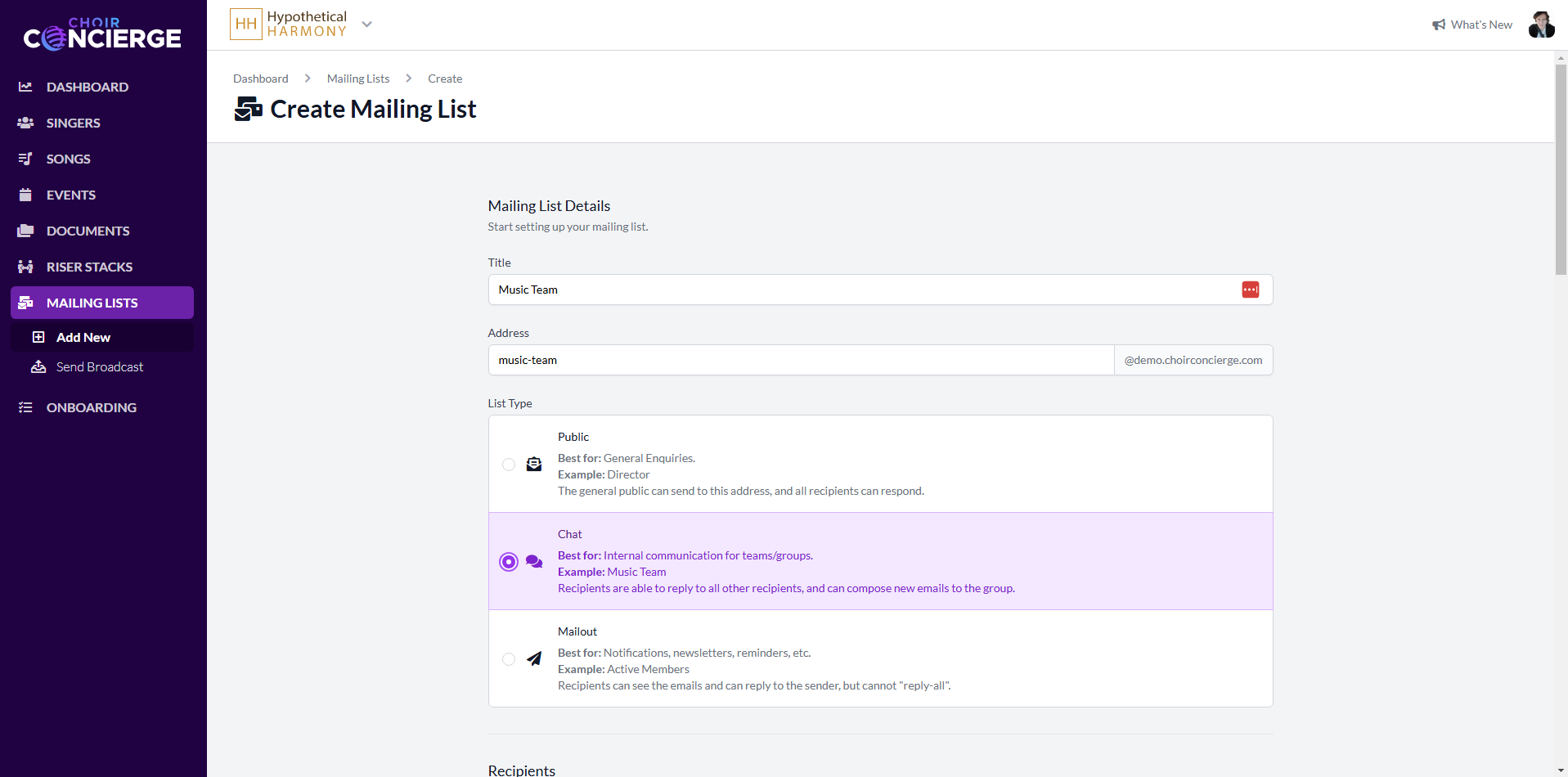
The email chatroom system in Choir Concierge, or just "The email system" as I frequently call it, is a complicated piece of code that does something rather unusual for 2024. Join me for a deep dive on an existing section of the codebase, and we'll also take a look at some opportunities for improvement.
What it does
I made the email system for one simple reason - my "client zero", my initial testing client, wanted the feature before they were willing to switch over. I could have pushed them to use other communication methods, or built something different, but I chose to build the feature to add some extra feature parity with my competitors.
The email system allows you to use email like a chat room, and is targeted at choirs with older members. First, you create a mailing list/group, and assign members. Depending on the list type, they could be valid senders, recipients, or both. The group gets its own unique email address, for example musicteam@hypotheticalharmony.choirconcierge.com.
Next, you send an email to the list address from your email client (the same email address you use to log in to the software). Then, all members receive a copy and can hit "Reply" to respond to the sender, or "Reply All to respond to everyone. This works without exposing everyone's individual email addresses, because replies-to-all are routed via the list address.
How it works
First, all incoming emails for all choirs are routed to a central inbox. Then, a scheduled job checks the inbox and downloads new emails. Next, the emails are filtered:
- by subdomain, for matching specific choirs
- by recipient, for matching specific mailing lists
- by sender, to ensure they are permitted to send to the list
Messages sent from users/addresses that aren't permitted are rejected, and the user receives a rejection email. Remaining messages continue to the next step, where the mailing list is mapped to a group of users. Finally, a duplicate of the email is sent to each user, with some tweaks to the sender and recipient fields to enable the magic of the chat list and other list types.
Some code!
I've rewritten the code for brevity, but the general idea is the same. The system is broken up into essentially four classes with distinct responsibilities.
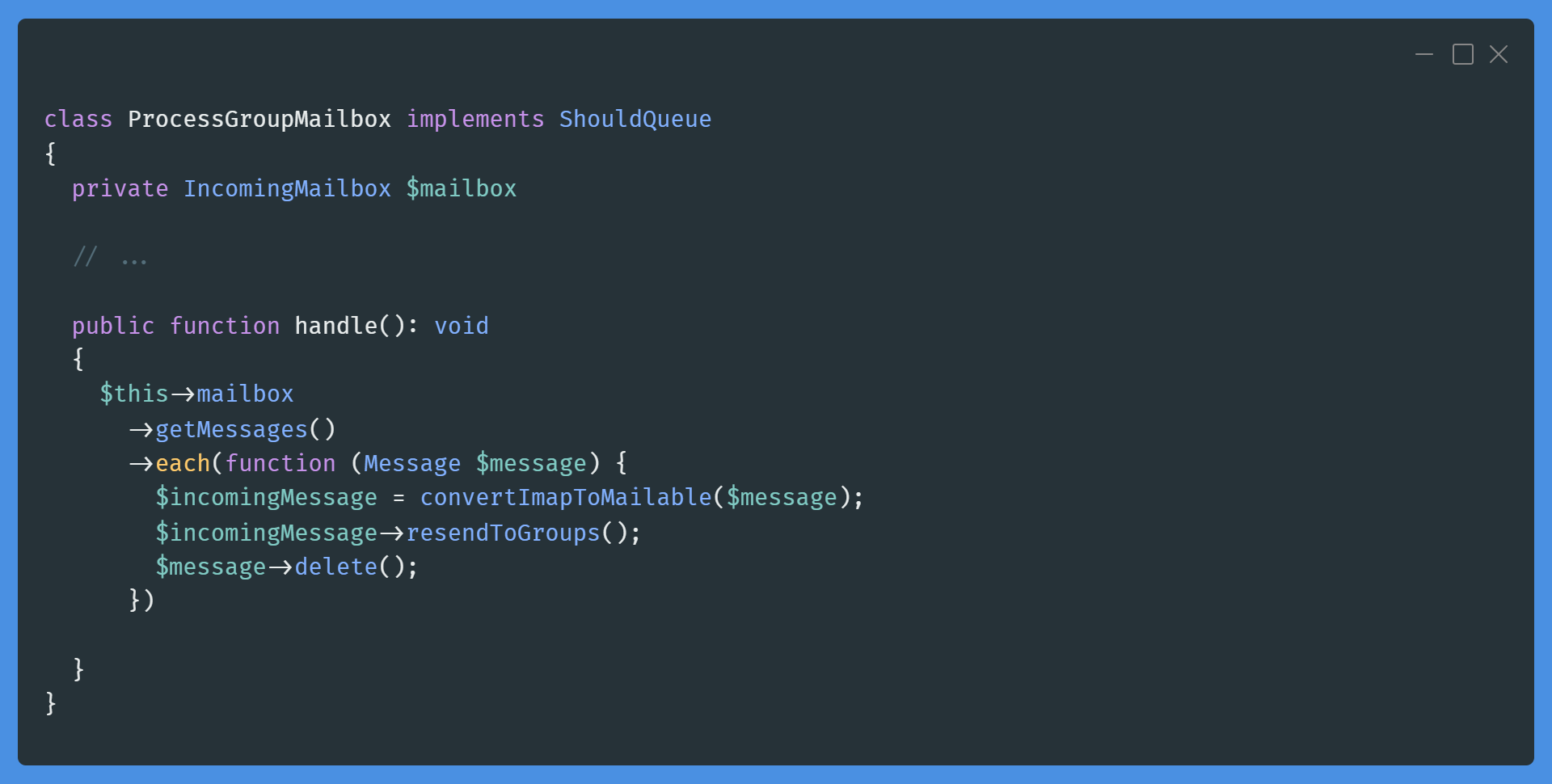
ProcessGroupMailbox
The scheduled job, which converts emails then delegates to each IncomingMessage to resend itself:
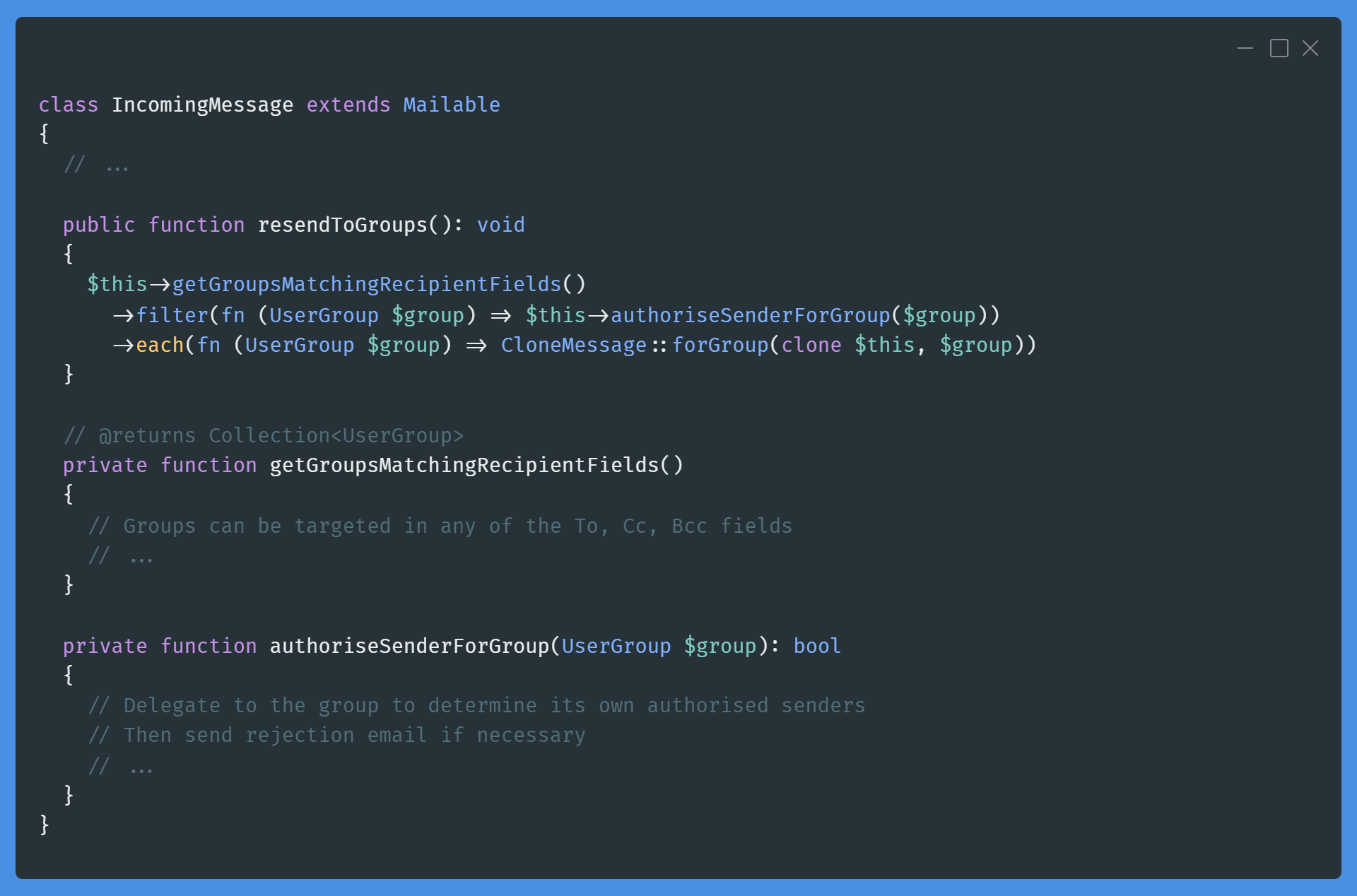
IncomingMessage
The mailable, which handles authorisation, and delegates the remaining work to CloneMessage:
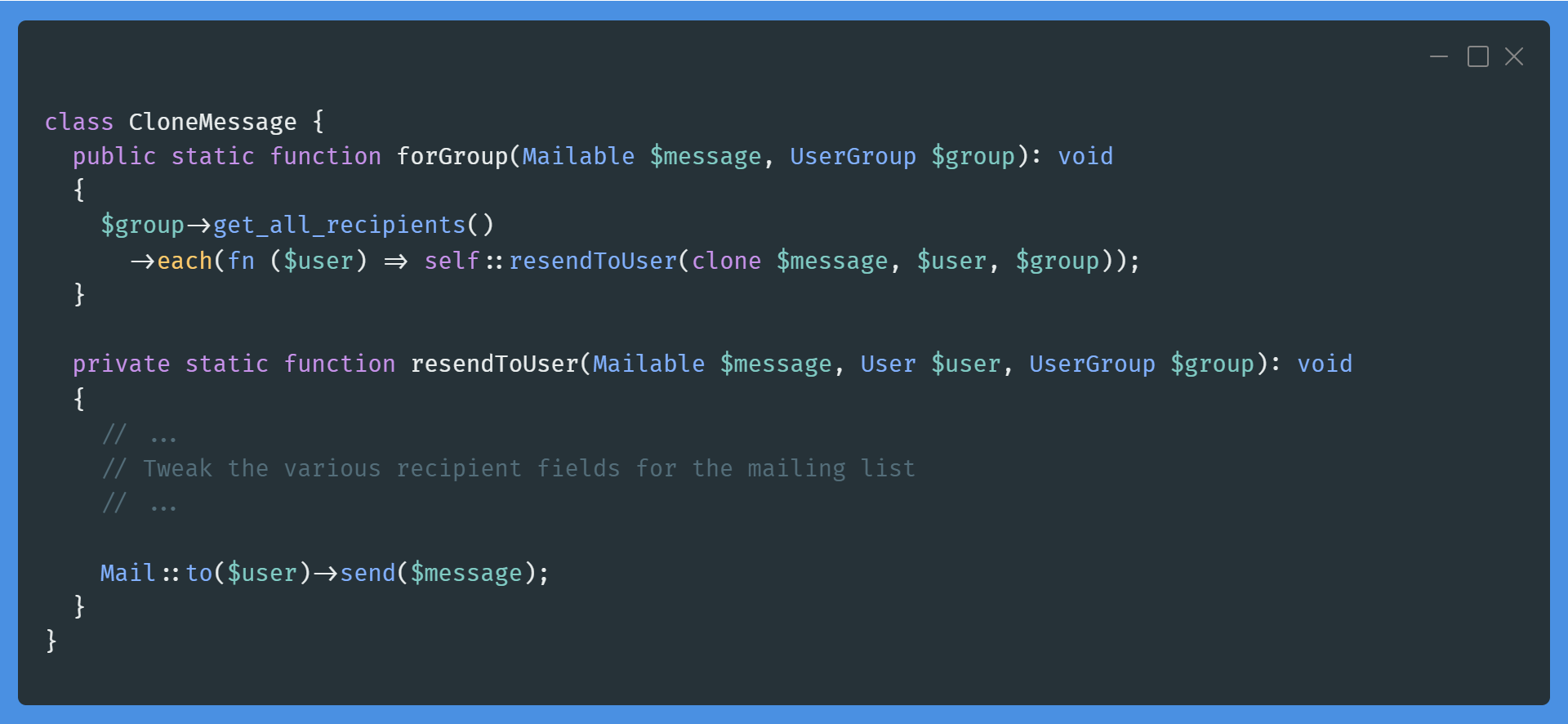
CloneMessage
This class sets up cloned messages for specific recipients:
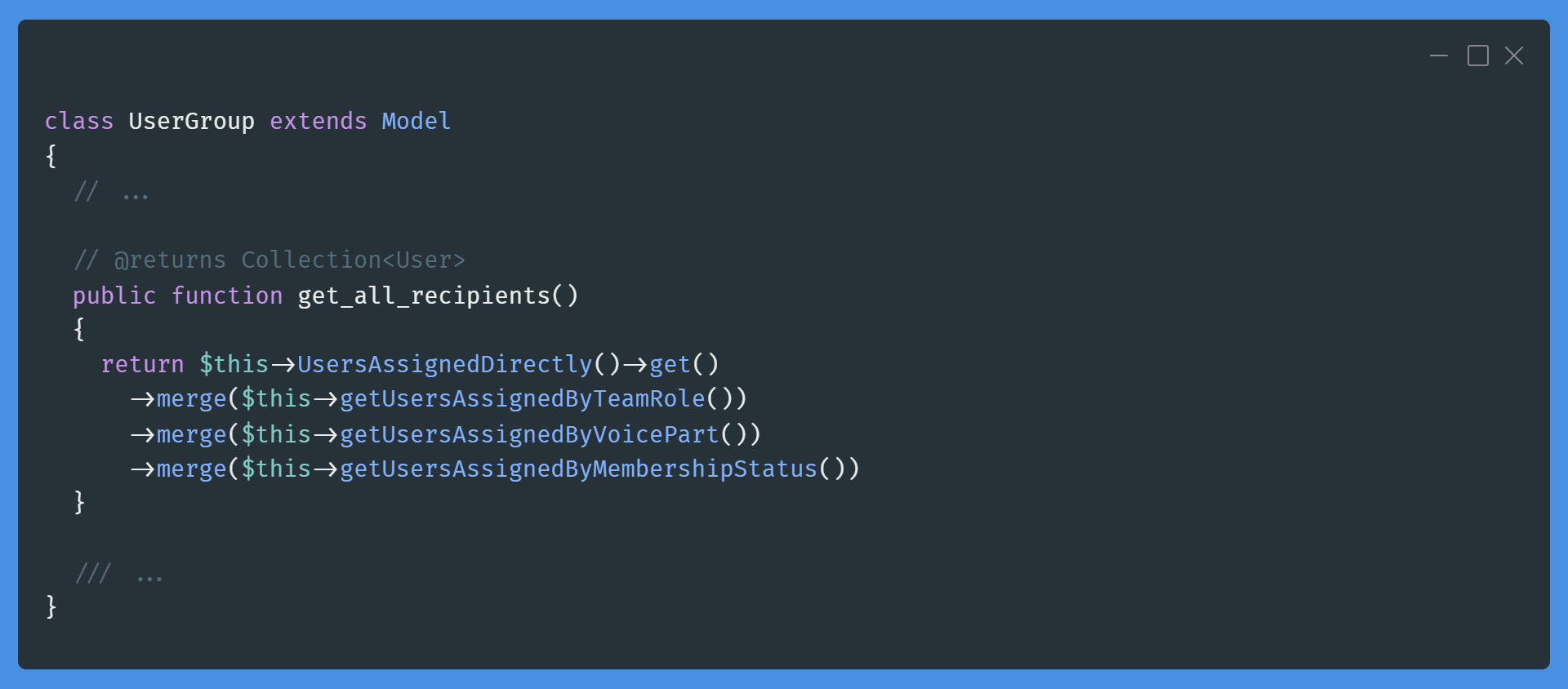
UserGroup
Finally, the group, which can contain recipients/senders directly, or by various other filters:
Issues
The system has a wide range of issues, some caused by budget constraints, but most caused by time constraints. Honestly, it's a bitch to maintain. I should probably be charging separately for this feature, given the complexity and the fact that it's not used by the majority of our current clients.
Since I can't afford the pro version of Mailgun with inbound email routing, I've had to hack together my own system. I have a regular cPanel email inbox, which I check every 5 min via IMAP using a scheduled job.
The SDK I'm using for IMAP can't seem to detect file sizes prior to downloading messages, meaning I haven't found a way to prevent the API from trapping itself when very large emails come through. At some stage, I plan to take another deep dive into the PHP IMAP SDK to see if there's something I'm missing that would help avoid these issues.
The system has no failure detection. Failed emails are simply left marked unread, meaning they'll cause an infinite loop, crashing the system for all choirs.
The system has no logging of any kind, aside from Sentry and Mailgun's outgoing email log, which at least gives me a rough idea of which email may have failed.
The system in its current state is rife with opportunities to be overloaded, either accidentally or on purpose. For example, it would be simple enough to write a script that sends infinite emails to a non-existent address, causing infinite rejection emails to be sent.
Future Plans
It's hard to decide whether I should invest further time and energy into this feature (and maybe charge for it), or just ditch it. I want to decide soon though, because I'm unhappy with the quality of the feature. There are some aspects of Choir Concierge I'm genuinely proud of, and I aim to get there for the entire application eventually.
I'm considering an even larger project, which would approach communication from a more wholistic angle. If all communications were centralised, then perhaps they could be sent out via various channels (email, SMS, push notifications, slack, etc) based on priority and the user's preferences. I've had this idea for years, but have been holding off because I'm not sure the best way to approach it.
I hope you enjoyed this look at a section of Choir Concierge. I plan to write more articles like this as I continue to work on the app. If you have any questions about the code base, feel free to email me and if you're interested in trying the app itself, head over to the website.