My experience with Statamic so far
I'm still new to Statamic, but I've already used it for two different websites. I wanted to share my experience with Statamic, for those of you considering it (maybe considering a switch away from WP?)
Finding Statamic
What I liked about Divi and WordPress
I used WordPress for most of my early career, especially with Divi. I liked the familiarity of the interface, I liked the plugin marketplace, and I liked how hackable the WP code was. I've worked on a few plugins and themes over the years, and I've made WordPress all sorts of things.
With Divi specifically, I loved how easy content creation was. I loved that I could write some text, drag and drop it around, and add some basic styles, all from the front-end editor. You could almost always see the results on the page instantly.
After I started using Laravel I much preferred using it for larger, more app-like projects. When directly comparing the two, WordPress felt very dated, especially in the style of PHP used both in the core and the plugin marketplace. I loved the feeling of modern PHP in Laravel, but I didn't get it in WordPress. I no longer got the same enjoyment from WP's hackability.
Over time, I also got frustrated with Divi. The styling options were great until they weren't. Inevitably, I would need to write real CSS for something Divi couldn't do (or couldn't do well). When that happened, Divi got in the way, making the CSS harder to write because of the number of overrides I needed. I don't necessarily think this problem is unique to Divi, but as I wanted to leave WP behind altogether, it didn't matter.
What I was looking for
I spent a lot of time passively looking at new CMSes, but I had a feeling right away that Statamic would be right for me. I had a wishlist:
- I wanted something built with Laravel in mind
- I wanted something customisable
- I had a vision, a block-based editor that was styled in code
- I wanted the code to be a more important aspect of the CMS
Statamic's promise
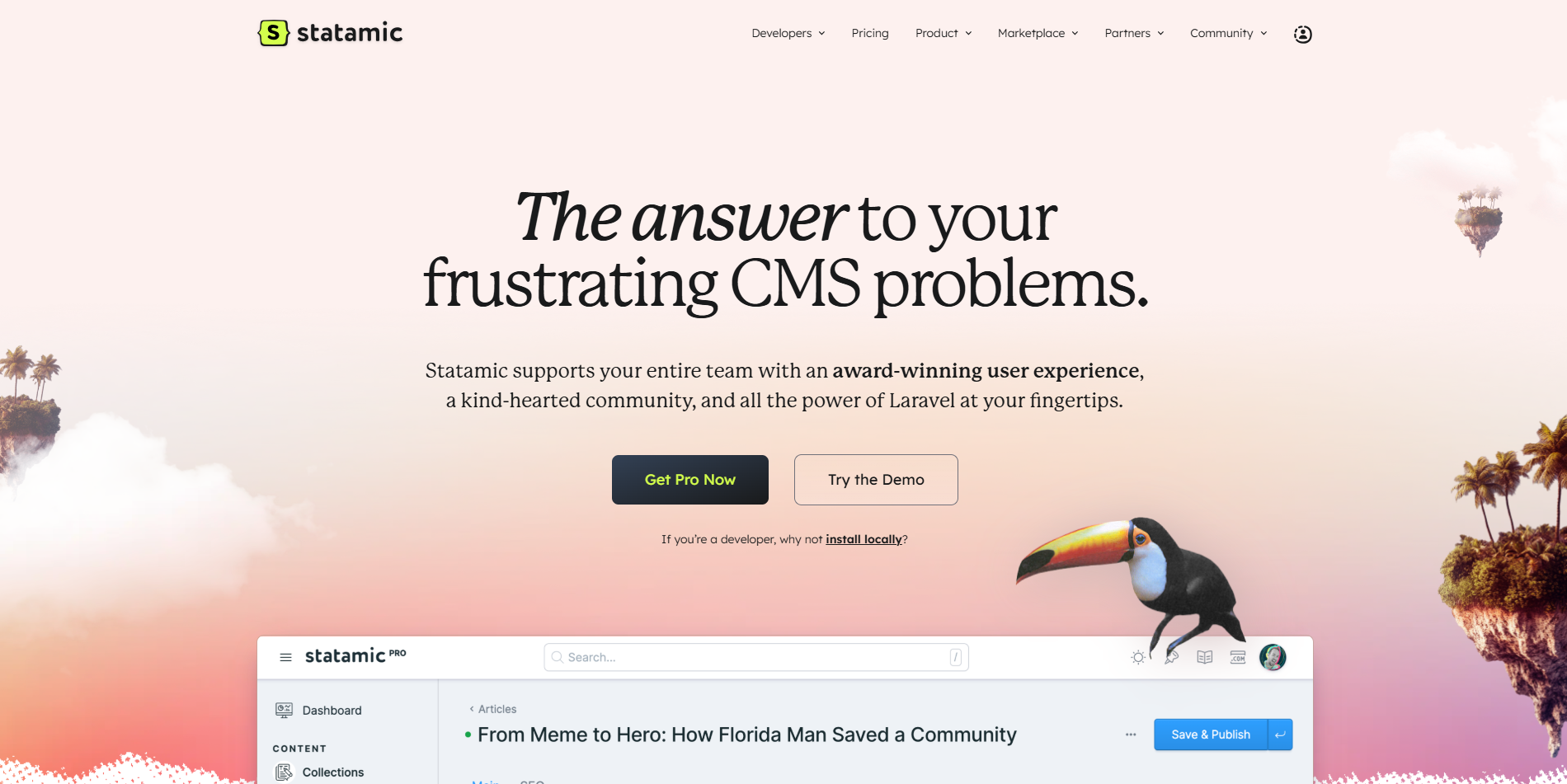
Let's take a look at Statamic's website to see what the CMS is offering (disclaimer, the Statamic website was just updated, so this isn't the same content I saw as a first-time user):
- Their slogan, "The answer to your frustrating CMS problems" - this wasn't their slogan when I found Statamic, but clearly they know their target market.
- Their promise of "the power of Laravel at your fingertips" - Laravel, check.
- Let features like blueprints, block-based editing, loads of fieldtypes, and live preview - all super important for parity with WordPress, but how do code and CSS interact with them?
- Flat-file database - this sounded very code-friendly, absolutely everything goes into Git!
Trying Statamic
New Choir Concierge website (coming soon)
Victoria - my partner - thought we needed a new marketing site for my side hustle project (old site), and she decided she was going to build it herself and learn on the job! She had already started learning HTML and CSS, but this would be an entire project replacing our old WP/Divi site with HTML, CSS, PHP and some JavaScript!
This was the perfect chance to try Statamic, but before I could commit, I needed to answer one main question - how does the block editor work, and how does code interact with it? After looking at the docs, I was pretty excited. I jumped in the deep end and got the project started.
I did the initial software setup, installed composer packages, and got the basic configuration of Statamic done. Then I began to piece together how our blocks would work:
- Using Bard, we first create a new "Set" in the blueprint. A Set is a grouping of fields used as a block, or module. I'll use the word "module" from here onward because it makes the most sense to me (and because that's what the equivalent was called in Divi).
- Then, we add whatever Fields we need for data for that module.
- Next, we have a page template for Bard pages that dynamically loads another template partial with the name of the module.
- Finally, we add the styles and markup into the template partial.
page.antlers.html:
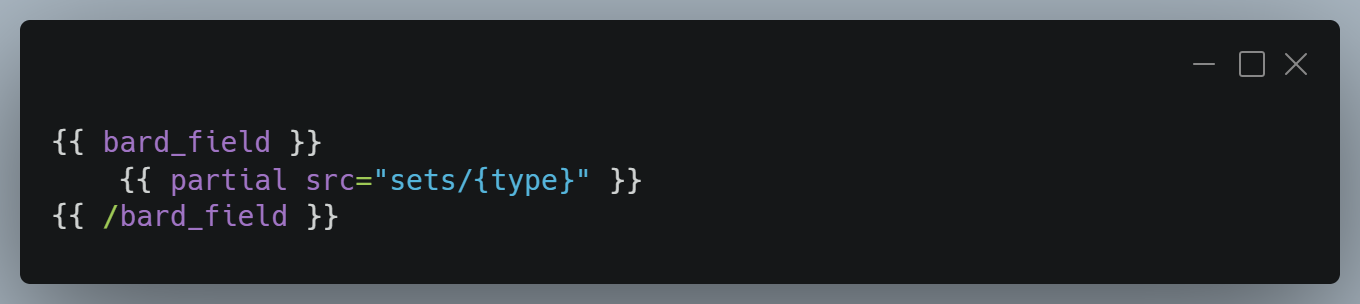
So - making new modules is as easy as making a blueprint, then making a template with the same name and styling it. After I did this once, I immediately showed Victoria how to do it herself. We worked together for the first module or two, then she was off! We used Tailwind for the styles. Victoria loves Tailwind, and in both our opinions it has drastically sped up her understanding of CSS as a new developer.
At the time of writing this, Victoria has built the entire site! We're almost ready to launch. We have a few bits of polish to complete, but the work is essentially done.
My blog
This site (the one you're currently reading) is a far simpler project compared to the previous one, but it also has some different requirements. I wanted to avoid the typical developer trope of spending more time developing the blog than writing on it. I wanted to just get it done and get writing! I wanted to use Statamic again, this time with a starter kit. I just used the free first-party blogging starter kit, Cool Writings.
Instead of a block editor, I just write in markdown, which is fine for 99% of my blogging. Mind you, I was a bit surprised there didn't seem to be an easy way to add syntax highlighting out of the box. I couldn't even find a decent tutorial explaining how to do it.
Draft posts
Drafts are a premium feature in Statamic, but they work in the free version, just not how you'd expect. When writing locally, drafts show up in the control panel. When editing posts in the production environment, drafts stop existing! I think this behaviour is fine, given the target market is probably writing locally and deploying finished articles - especially for the free version. But I feel that this should have been called out from the beginning. The software should call out unexpected behaviours before the user encounters them. I was also confused by how scheduled posts work, especially in combination with the not-quite-paid-only drafts feature.
I'm fine with freemium (though I'd argue drafts might be better kept a free feature), but I think it's important to make it clear to users how these features will work. A quick warning - "Hey, I see you marked this post as a draft, just FYI that because you're on the free plan, the post won't appear in the control panel in production" - would go a long way.
Final thoughts
Overall, I love Statamic. I can throw things together super quickly. There's a decent plugin marketplace, but I can also add functionality myself super easily too. For content management, Statamic is my new home.
P.S I installed Grammarly while editing this post and... it doesn't work? Grammarly can't figure out where to put the squigglies. Let me know if you have a solution for this issue! I'll report back if I manage to fix it.